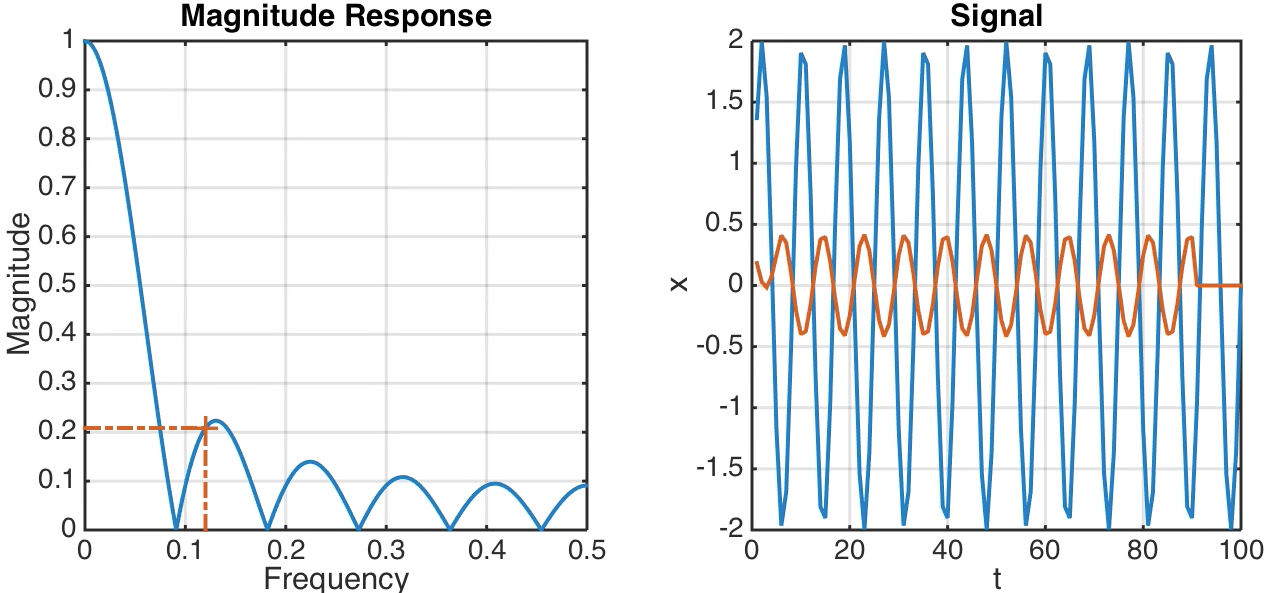
 Running means are very popular to smooth noisy time series. Unfortunately, they have unpleasant side effects. Here is a MATLAB example to demonstrate the effect of running means.
Create Publishable Graphics with MATLAB, Part 1
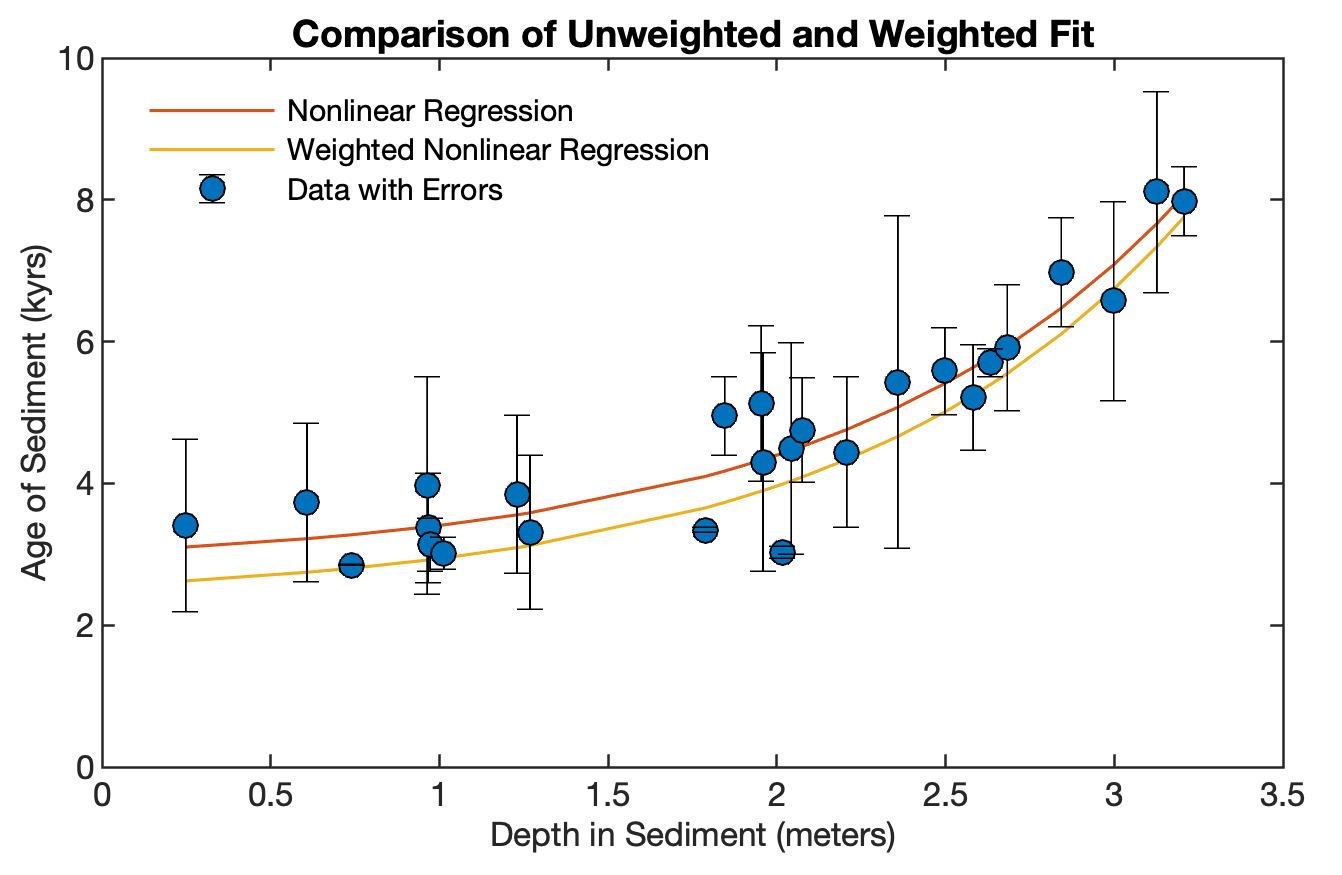
The graphics of MATLAB have been greatly improved since the very rustic plots of the early 1990s. In contrast to previous editions, in which all the graphics were edited by designer Elisabeth Sillmann (blaetterwaldDesign) with Adobe Illustrator, the majority of the graphics of the 4th edition of MRES were not processed after being exporting from MATLAB. Here is the script for creating a variant of Figure 4.9 from MRES.
Continue reading “Create Publishable Graphics with MATLAB, Part 1”
Cross Recurrence Plot Toolbox
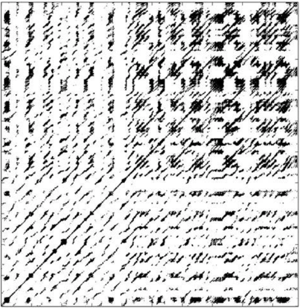
Here is another great MATLAB-based website, the one about recurrence plots by my colleague and long-term collaborator Norbert Marwan from Potsdam Institute for Climate Impact Research (PIK). Recurrence plots for the analysis of complex systems are popular in many fields such as climate science, flow mechanics and medicine. Continue reading “Cross Recurrence Plot Toolbox”
About me

Here is a short outline of my research and teaching at the U Potsdam, Germany, and elsewhere, with emphasis on the use of MATLAB in earth sciences.
The MATLAB® / LEGO® MINDSTORMS® Model of a Moving Satellite
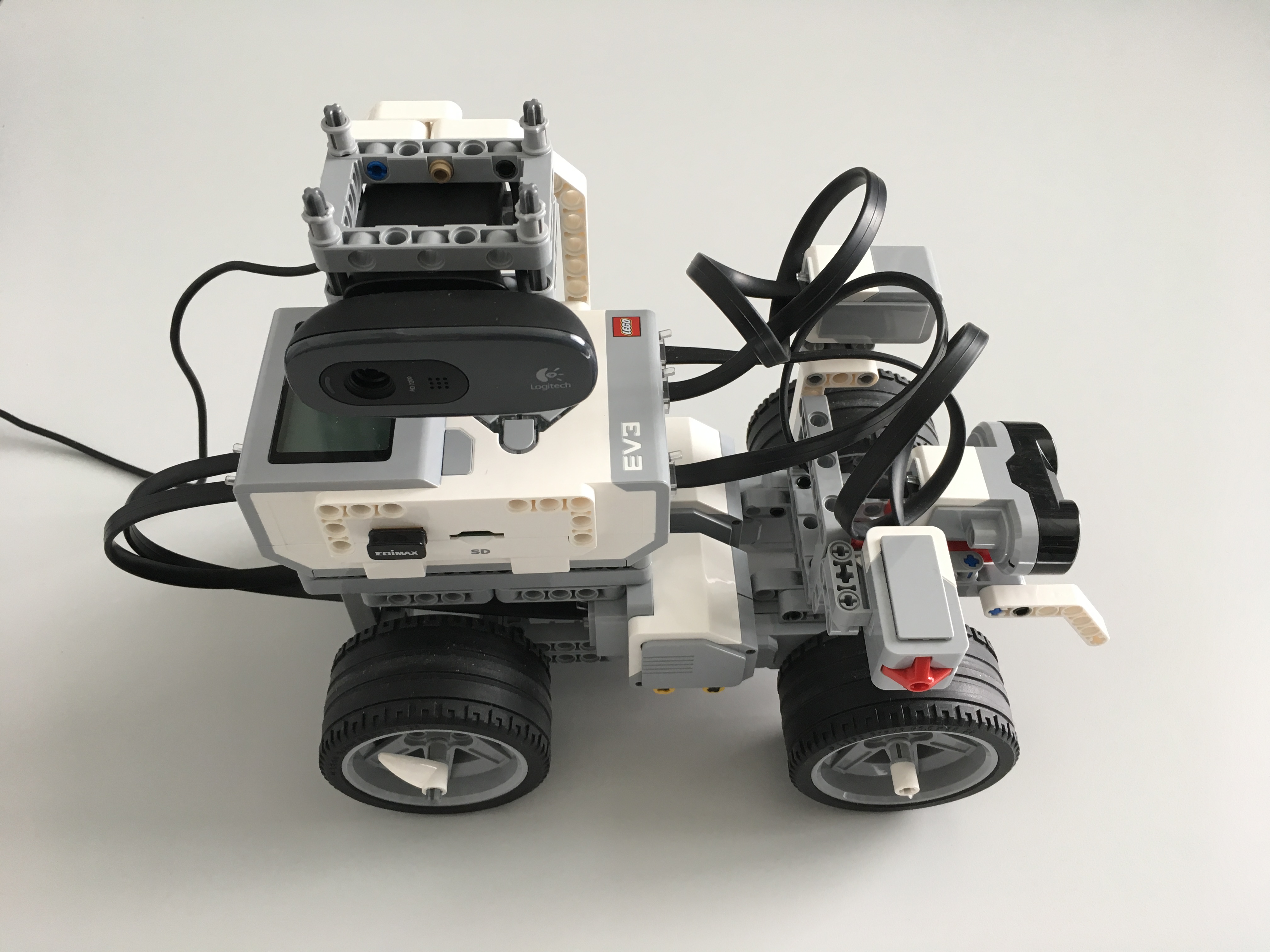
This was one of my first MATLAB® / LEGO® MINDSTORMS® projects: the model of a moving satellite. Three exercises have been developed from this, which I will shortly provide in the member area with solutions.
Continue reading “The MATLAB® / LEGO® MINDSTORMS® Model of a Moving Satellite”
MRES Exercise #13 Removing NaNs from all Variables in the Workspace
I often had the problem that I had a lot of variables of different types and dimensions in the workspace, which contain either NaN or another no data identifier to identify data gaps. If you want to use this data with other software tools, such as ArcGIS, NaNs must be replaced by other no-data identifiers. The other way round, if you work with digital terrain models (such as the SRTM data set, see Chapter 7.5 of the MRES book), you have to place -32768 (i.e. the lowest possible value of data of the signed integer 16 bit or int16 format) by NaNs in order to use them with MATLAB. As an example, we first create some random variables with NaNs:
clear
A = rand(3,3); A(2,1) = NaN;
BC = rand(2,4); BC(2,2) = NaN;
DE = rand(1,2); DE(1,1) = NaN;
FG = rand(3,2); FG(2,2) = NaN;
HJ = 'A character array';
We can display the value of the variables in the Command Window by typing
A, BC, DE, FG, HJ
resulting in the output
A =
    0.9797  0.2581  0.2622
    NaN     0.4087  0.6028
    0.1111  0.5949  0.7112
BC =
    0.2217  0.2967  0.4242  0.0855
    0.1174  NaN     0.5079  0.2625
DE =
    NaN     0.0292
FG =
    0.9289  0.5785
    0.7303  NaN
    0.4886  0.4588
HJ = A character array
Here is the script to replace all NaNs by the value -999. It first stores the list of variables from the output of who in the array variables. Then it uses eval to execute the MATLAB expression in the variable names, i.e. it gets the values of the variables by calling them, and stores the variables in the array v. Then it locates the NaNs using isnan and replaces the NaNs by -999. Then it assigns the new arrays to the variables variables. Finally it displays the new values of the variables using eval.
variables = who;
for i = 1 : size(variables,1)
    v = eval(variables{i});
    v(isnan(v)==1) = -999;
    assignin('base',variables{i},v);
    eval(variables{i})
end
resulting in the output
A =
    0.1690    0.6477  0.2963
    -999.0000 0.4509  0.7447
    0.7317    0.5470  0.1890
BC =
    0.6868    0.3685  0.7802  0.9294
    0.1835 -999.0000  0.0811  0.7757
DE =
    -999.0000 0.4359
FG =
    0.4468     0.5108
    0.3063  -999.0000
    0.5085     0.7948
HJ =
    A character array
You can use the script to replace any other value by another value.
The MATLAB® / LEGO® MINDSTORMS® Shopping List
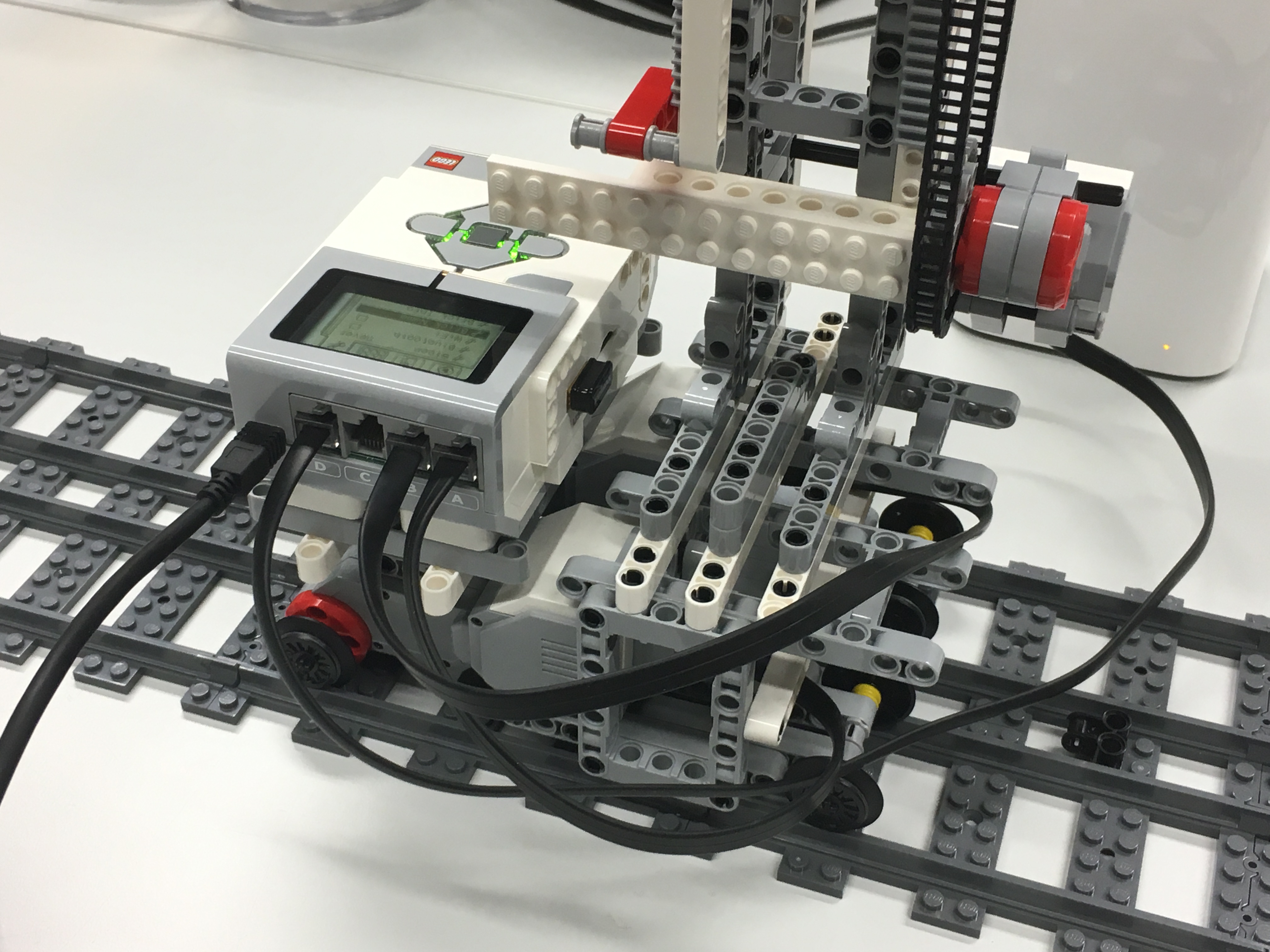
So it all started. I was an invited speaker at the MATLAB Expo 2016 in Munich with a lecture on “Dust storms, blackouts and 50°C in the shade: with MATLAB in the cradle of humankind“. One of Keynote Lectures was held by Dr. Rainer Stetter of ITQ, “Industry 4.0 – Risks and Opportunities”, who talked, among other things, about the European Hi5 Hackathon 2016 with MATLAB and LEGO MINDSTORMS. I wondered how I could use the connection of MATLAB and LEGO MINDSTORMS, using the hardware support of The MathWorks in my shortcourses on geoscientific data analysis and future editions of the textbooks.
Continue reading “The MATLAB® / LEGO® MINDSTORMS® Shopping List”
Calculating the Continuous 1-D Wavelet Transform with the new Function cwt, Part 1
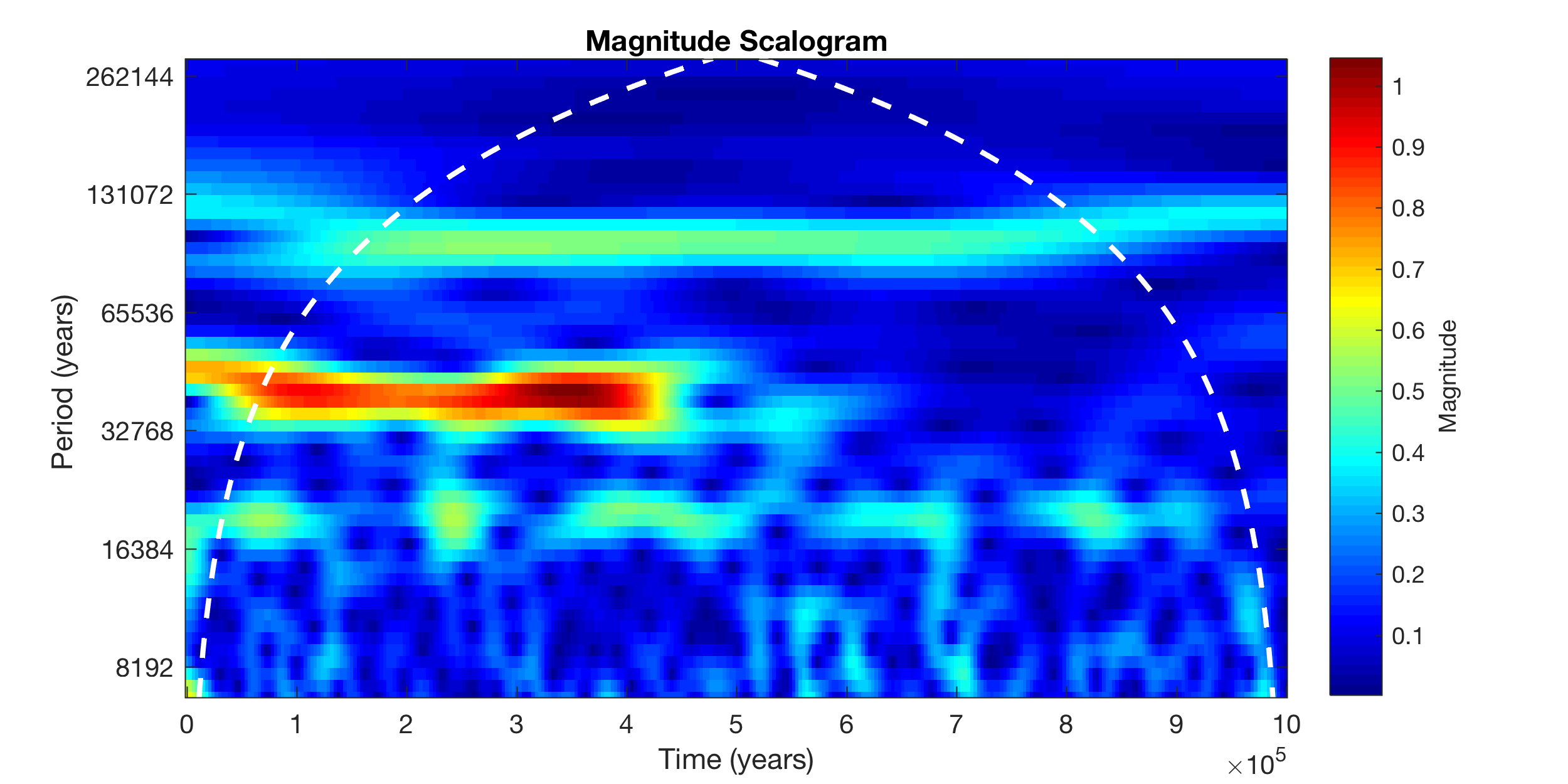
In MATLAB R2016b, the function to calculate a continuous 1D wavelet transform has been replaced by a new function, unfortunately with the same name. Here is a great example why I think that this blog is very useful: Here I can let you know how I would modify the script of Chapter 5.8 of MRES and ask for your comments on it, long before the 5th edition of MRES will be published.